DirectX 12 Guide · Apple Silicon
VKD3D-Proton on Mac: How DirectX 12 Reaches Metal
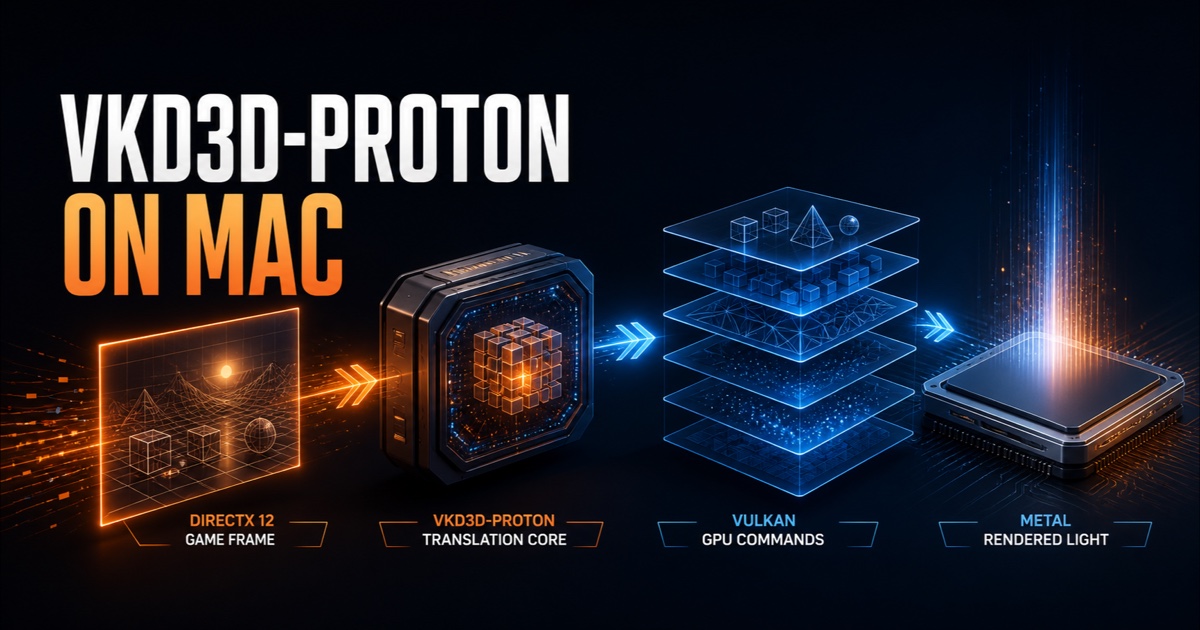
VKD3D-Proton can translate a Windows game's Direct3D 12 graphics calls into Vulkan, but a Mac does not expose a native Vulkan driver. On Apple Silicon, the practical public stack is usually Direct3D 12 → VKD3D-Proton → Vulkan → MoltenVK → Metal. That extra translation boundary is why a game can work on Linux through Proton yet fail on macOS, and why a “DX12” label never proves compatibility by itself.
The useful answer
- VKD3D-Proton is the D3D12 translator: it provides Windows
d3d12.dllandd3d12core.dllimplementations over Vulkan. - It is not the whole Mac route: Wine supplies Windows APIs, DXVK supplies shared DXGI, and MoltenVK maps Vulkan onto Metal.
- Linux results do not transfer automatically: Proton targets Linux, where GPU drivers commonly expose Vulkan directly.
- Version matching matters: VKD3D-Proton, DXVK, MoltenVK, Wine and the game build must form a compatible set.
- Graphics support is not game support: launchers, media, services and anti-cheat can still block play.
What VKD3D-Proton actually does
The official VKD3D-Proton project is a fork of Wine's VKD3D work focused on Direct3D 12 game compatibility and performance. It translates D3D12 commands and shaders into Vulkan work. The project's intended package includes native Windows DLLs that Wine can load in place of its normal D3D12 implementation.
The name causes two common misunderstandings. First, VKD3D-Proton is not Valve's full Proton runtime. It is one graphics component developed for that ecosystem, and its DLLs can also be used with vanilla Wine or another compatible Wine build. Second, it is not DXVK's “DirectX 12 mode.” VKD3D-Proton handles D3D12, while DXVK covers earlier Direct3D generations and provides the DXGI implementation that VKD3D-Proton expects.
The complete public graphics path on a Mac
Windows game → Wine Windows APIs → VKD3D-Proton D3D12 DLLs → DXVK DXGI → Vulkan commands and SPIR-V shaders → MoltenVK → Metal → Apple GPU. Rosetta may separately translate x86-64 CPU code on Apple Silicon. Each layer has its own job and its own compatibility boundary.
Why VKD3D-Proton on Mac is harder than on Linux
VKD3D-Proton aggressively uses modern Vulkan capabilities because accurately and efficiently representing D3D12 requires them. Its current upstream documentation requires Vulkan 1.3, extensive descriptor indexing and several Vulkan extensions, and recommends additional features for optimal or correct behavior. On Linux, the Vulkan driver is normally supplied directly by the GPU vendor or Mesa stack.
macOS exposes Metal, not Vulkan. Khronos describes MoltenVK as a portability implementation of an almost-complete Vulkan subset over Metal. It converts SPIR-V shaders to Metal Shading Language and maps Vulkan resources and commands to Metal. The project also documents that Metal and Vulkan differ enough that some capabilities cannot be mapped directly or efficiently.
This does not mean VKD3D-Proton never works on Mac. It means the effective feature set is the intersection of the game, VKD3D-Proton, MoltenVK, Metal, the Apple GPU and the chosen builds. A missing mandatory feature can stop initialization. A synthesized feature can work with a cost. A subtle shader or resource difference can produce a rendering bug only in a particular game.
What changed in current VKD3D-Proton
As of August 20, 2026, the latest official release is VKD3D-Proton 3.0.1, published May 6, 2026. Upstream recommends recent drivers and prioritizes modern systems over compatibility with older Vulkan implementations. That release number is useful context, not an instruction to replace a Mac tool's tested package.
A maintained Mac gaming app may carry a different build, patch set or component combination because VKD3D-Proton must agree with its DXGI and Vulkan layers. Installing the newest upstream archive over a working Mac prefix can create a mismatched set. Preserve the working configuration and use the version recommended by current title-specific evidence.
VKD3D-Proton, DXVK and direct-to-Metal routes
| Route | Primary API | Mac graphics path | Best reason to try it |
|---|---|---|---|
| VKD3D-Proton | Direct3D 12 | D3D12 → Vulkan → Metal | The game is D3D12-only or its tested D3D12 mode is preferred |
| DXVK | D3D8 to D3D11 | Direct3D → Vulkan → Metal | The game offers a supported D3D11 mode or a profile recommends it |
| DXMT | D3D10 and D3D11 | Direct3D → Metal | A direct-to-Metal D3D11 route has better current evidence |
| Apple component | Eligible D3D11 and D3D12 | Direct3D → Metal | A user-supplied Apple setup is appropriate under Apple's terms |
IgniteX never bundles, redistributes or downloads Apple Game Porting Toolkit or D3DMetal. A compatible Apple component may be supplied by the user where Apple's terms permit. The bundled public route uses open-source components, and the right backend is selected per title rather than by a single global rule.
When should you try VKD3D-Proton on Mac?
Use VKD3D-Proton when the exact Windows game executable uses Direct3D 12 and recent Mac-specific evidence supports that path. It is a sensible first test when:
- the game is D3D12-only and has no native Mac release or usable D3D11 option;
- a maintained compatibility profile names a tested VKD3D-Proton, DXVK and MoltenVK combination;
- a repeatable test reaches real gameplay with correct rendering, input, audio and saves;
- you can isolate the game in its own prefix and roll back the graphics stack.
If the game offers both D3D11 and D3D12, the newer API is not automatically faster. Compare the tested routes with the same build, save, resolution and quality settings. Our DirectX 12 games on Apple Silicon guide explains the broader feature and hardware questions, while the DXVK Mac guide covers the D3D11 Vulkan path.
How to verify that VKD3D-Proton is active
- Confirm the game renderer. Check its launch options or log for D3D12 rather than inferring from the store page.
- Use a temporary HUD or log. VKD3D-Proton can expose diagnostic output that identifies its version and Vulkan device.
- Inspect the game process. A launcher can use one renderer while the actual game executable loads another set of DLLs.
- Reach representative gameplay. A menu proves initialization, not correct shaders, streaming, saves or stability.
- Record the full stack. Note the game, Wine, VKD3D-Proton, DXVK, MoltenVK, macOS and hardware versions.
A compatibility label should describe what was actually observed. IgniteX's searchable game catalog contains many rule-based estimates, and those are not completed tests or guarantees. Use the compatibility checklist to distinguish an estimate from a dated gameplay receipt.
Common VKD3D-Proton problems on Mac
| Symptom | Likely area | Useful next test |
|---|---|---|
| “No suitable adapter” or device creation fails | Required Vulkan feature is unavailable | Restore the maintained component set and inspect the VKD3D log |
| Game starts in D3D11 instead | Launch option or renderer fallback | Check the game log and executable-specific settings |
| Black screen or missing effects | Shader, format or portability gap | Compare a known-supported renderer and preserve the failing log |
| Heavy first-run stutter | Pipeline and shader compilation | Repeat the same scene after caches settle |
| Crash after swapping DLLs | VKD3D-Proton and DXVK mismatch | Roll back both to the tool's tested pair |
| Launcher works but game does not | Game renderer, media, service or anti-cheat | Test the game executable and intended mode separately |
Change one variable at a time. Do not paste random DLLs into a shared prefix, stack unverified registry tweaks, or hide the initial error with launch flags. For frame pacing, memory pressure and thermal issues after the game renders correctly, use the Mac game performance guide.
VKD3D-Proton does not solve anti-cheat
VKD3D-Proton translates graphics calls. It does not provide Windows kernel drivers, Windows security features or publisher support for Wine on macOS. A Linux Proton report about an anti-cheat game is not proof that the same online mode works on a Mac.
Do not disable or bypass anti-cheat. That can violate a game's rules and risk an account penalty. If protected play is unsupported, choose a native Mac version, publisher-supported streaming service, remote Windows PC or Windows device. The anti-cheat on Wine for Mac guide gives a safe evidence-first decision process.
Frequently asked questions
Does VKD3D-Proton work on Mac?
It can, inside a compatible Wine environment and with a Vulkan-to-Metal stack that provides the features required by that VKD3D-Proton build. Results remain specific to the title and complete component set.
Is VKD3D-Proton the same as Proton?
No. It is the D3D12 translation project developed for Proton. Proton is a broader Linux compatibility stack and should not be treated as a macOS runtime.
Does VKD3D-Proton need DXVK?
Current VKD3D-Proton packages rely on DXVK's shared DXGI implementation. Use versions provided as a compatible set rather than replacing one DLL family in isolation.
Why does a D3D12 game work on Linux but not Mac?
Linux often exposes Vulkan directly through a native GPU driver. A Mac adds the MoltenVK-to-Metal boundary, and the game may also depend on a launcher, codec, service or anti-cheat path that differs by platform.
Can VKD3D-Proton bypass anti-cheat?
No. It is a graphics translator. Do not attempt to bypass anti-cheat; use a supported game mode or platform.